Easy Dictionary
Easily look up words or translate text, support 48+ languages, support Linguee and Youdao dictionary, support OpenAI, DeepL, Google, Bing, Apple, Baidu, Tencent, Volcano, Youdao and Caiyun translation.

Raycast Easydict
Easily look up words or translate text.
🇨🇳 🇺🇸 🇯🇵 🇰🇷 🇫🇷 🇪🇸 🇵🇹 🇮🇹 🇷🇺 🇩🇪 🇸🇦 🇸🇪 🇳🇱 🇷🇴 🇹🇭 🇸🇰 🇭🇺 🇬🇷 🇩🇰 🇫🇮 🇵🇱 🇨🇿 🇹🇷 🇱🇹 🇱🇻 🇺🇦 🇧🇬 🇮🇩 🇲🇾 🇸🇮 🇪🇪 🇻🇳 🇮🇷 🇵🇰 🇹🇱 🇹🇦 🇮🇳 🇵🇭 🇫🇮 🇰🇭 🇱🇦 🇧🇳 🇲🇲 🇳🇴 🇷🇸 🇭🇷 🇲🇳 🇮🇱
Originally developed by tisfeng, currently maintained by maxchang3.

💡 Looking for the native macOS app? Check out the standalone Easydict App!
Easydict is a concise and easy-to-use translation dictionary macOS App that allows you to easily and elegantly look up words or translate text, feel free to try it!
| Look up word | Translate text |
|---|---|
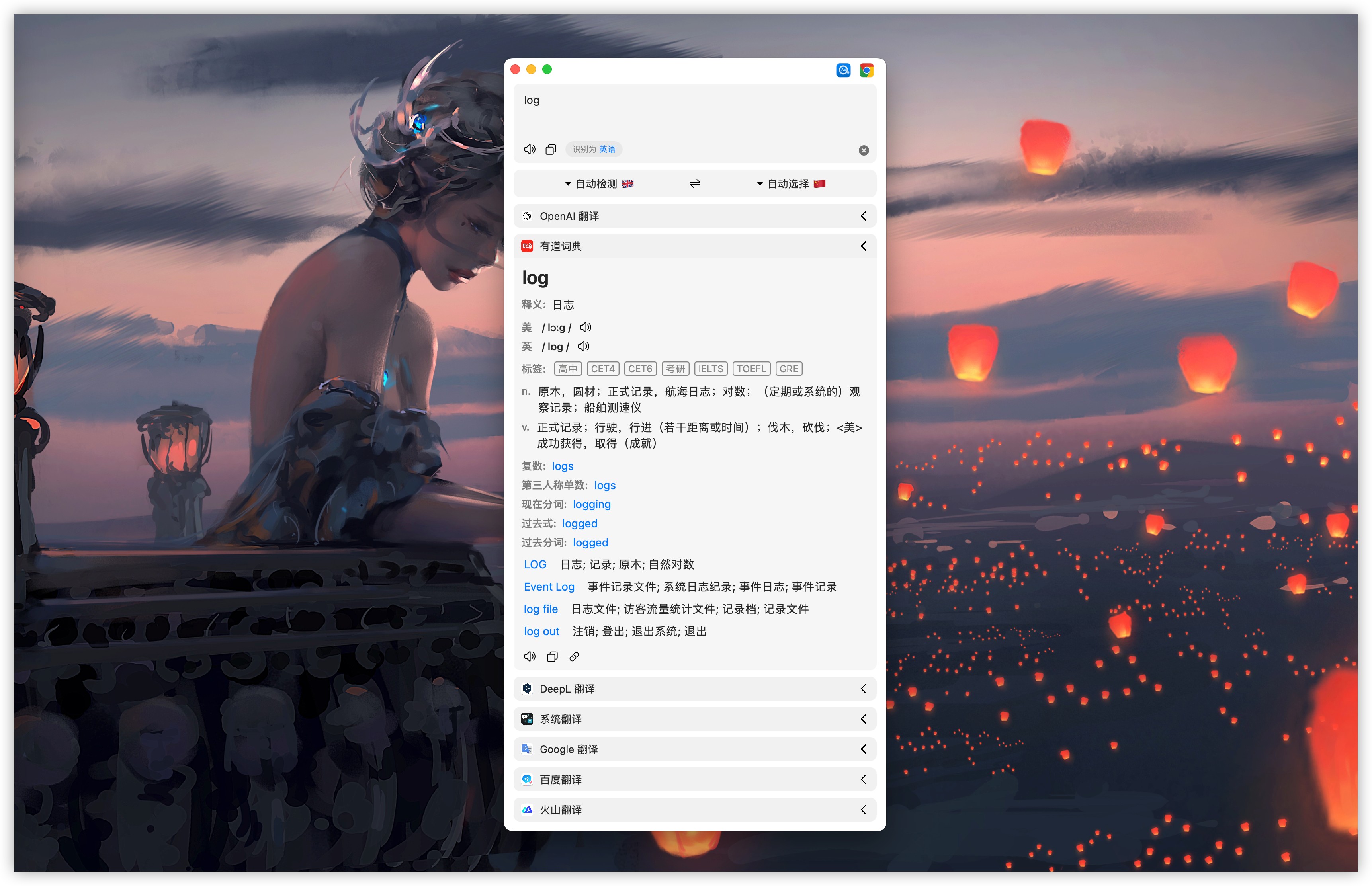 | 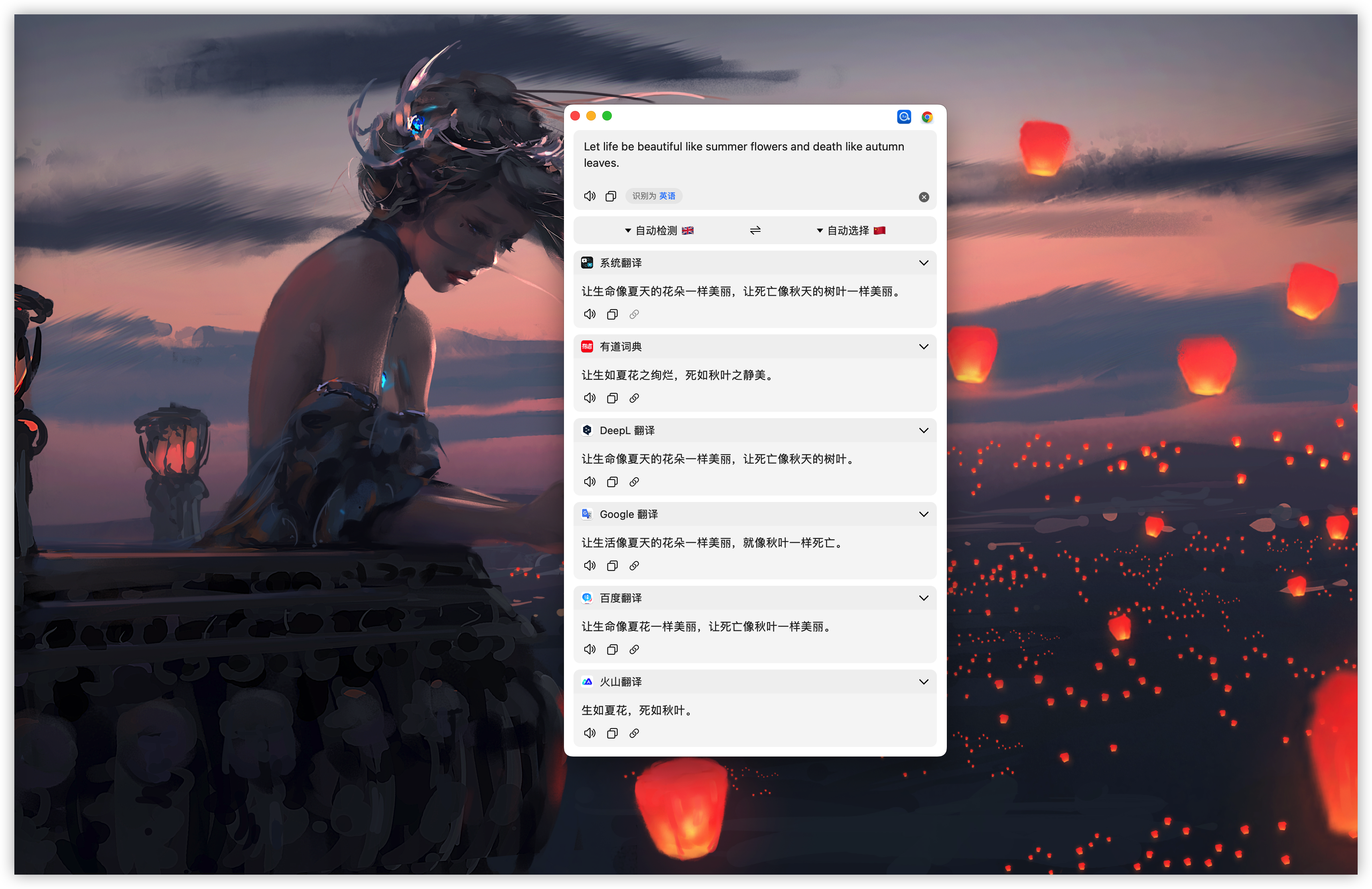 |
| OCR screenshot translate | Auto select translate |
|---|---|
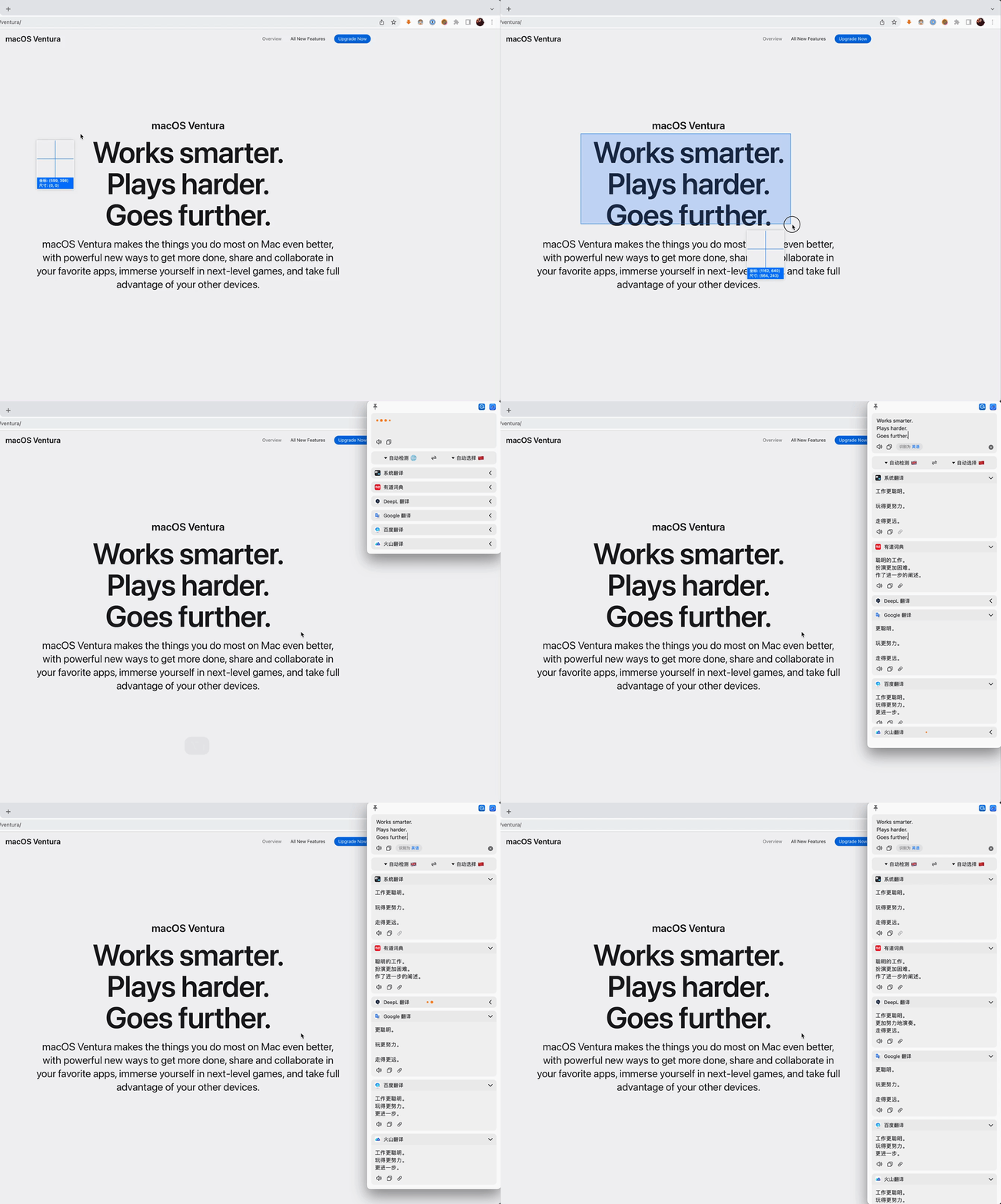 | 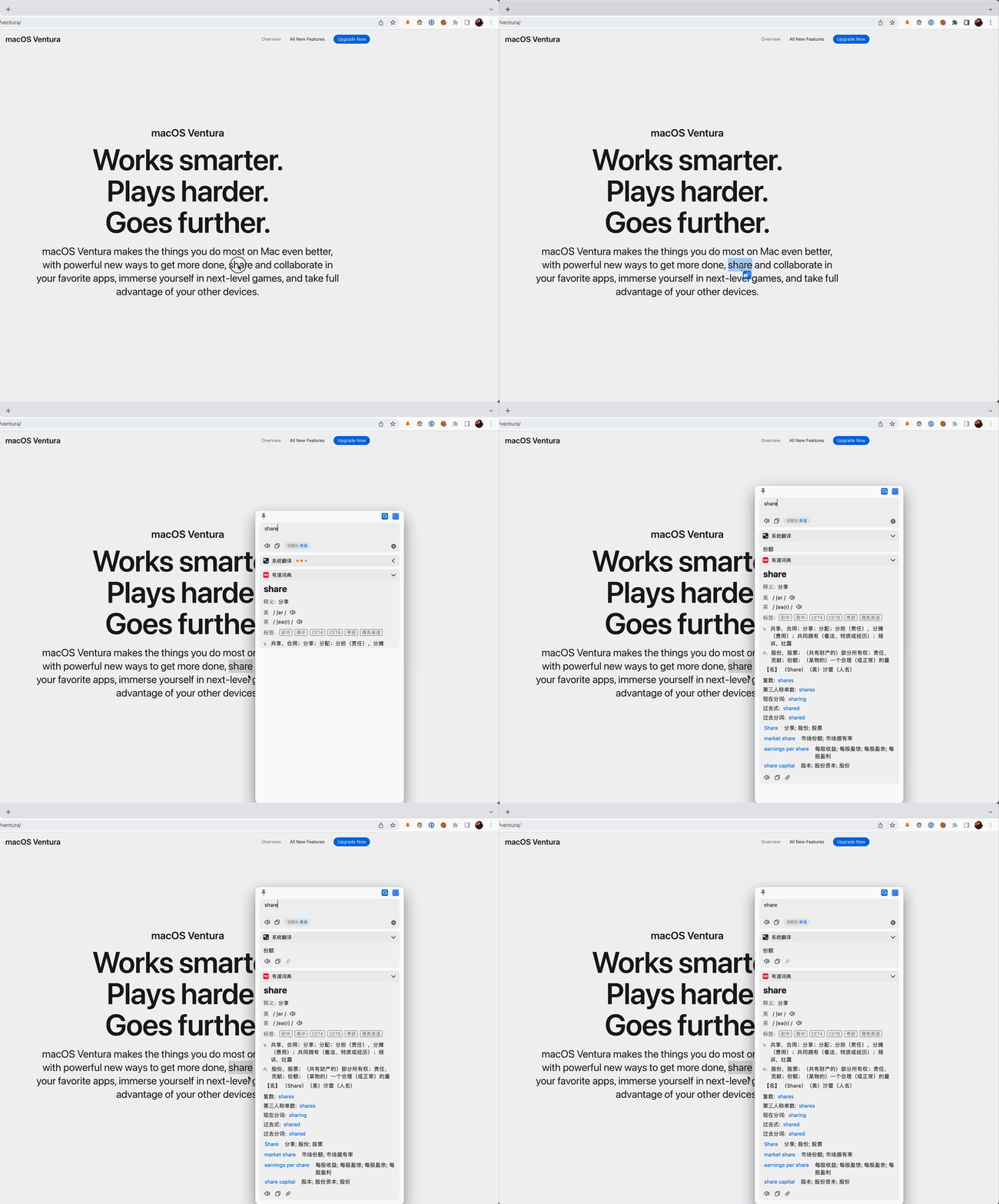 |
What is Raycast Easydict? 【中文介绍】
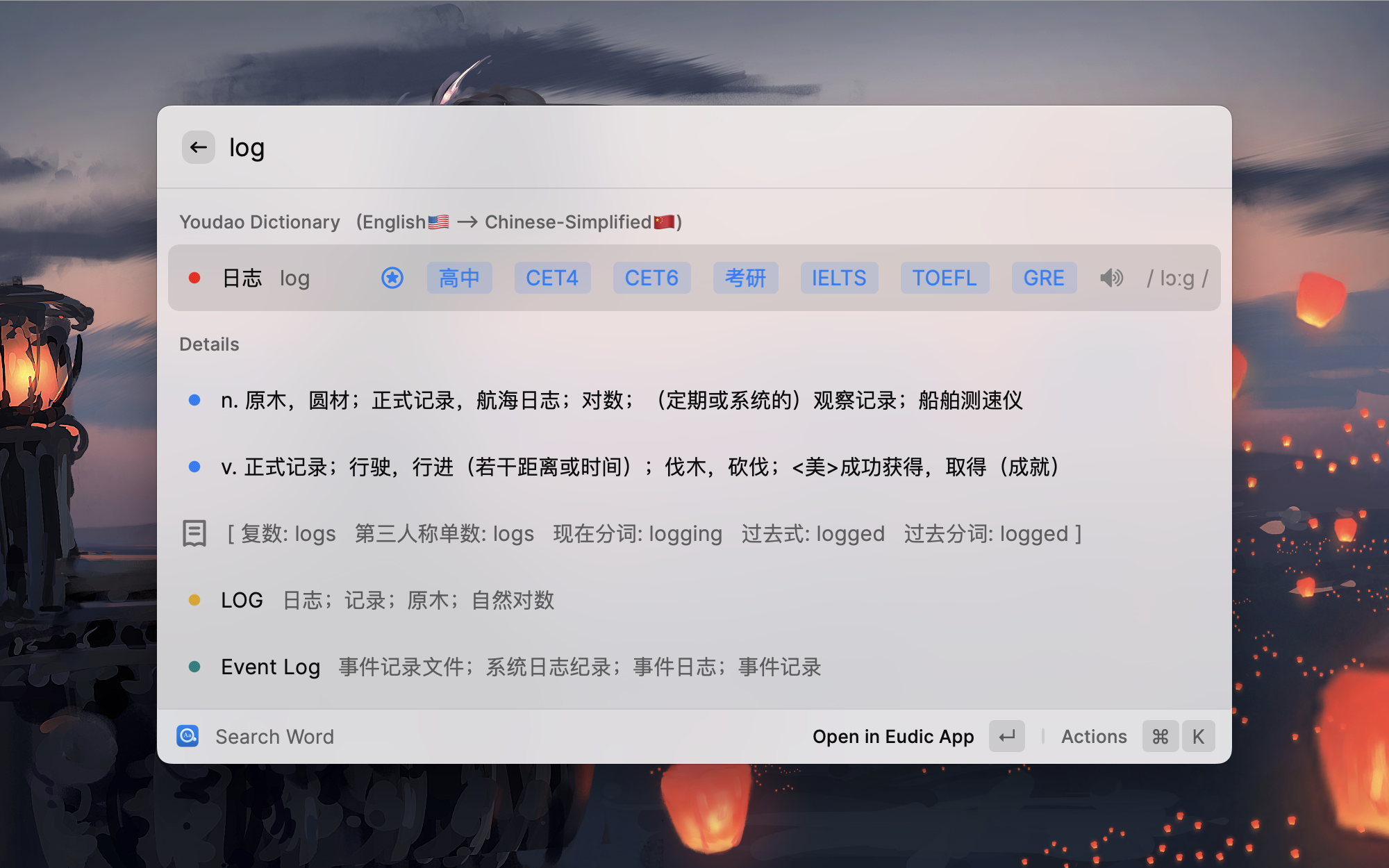
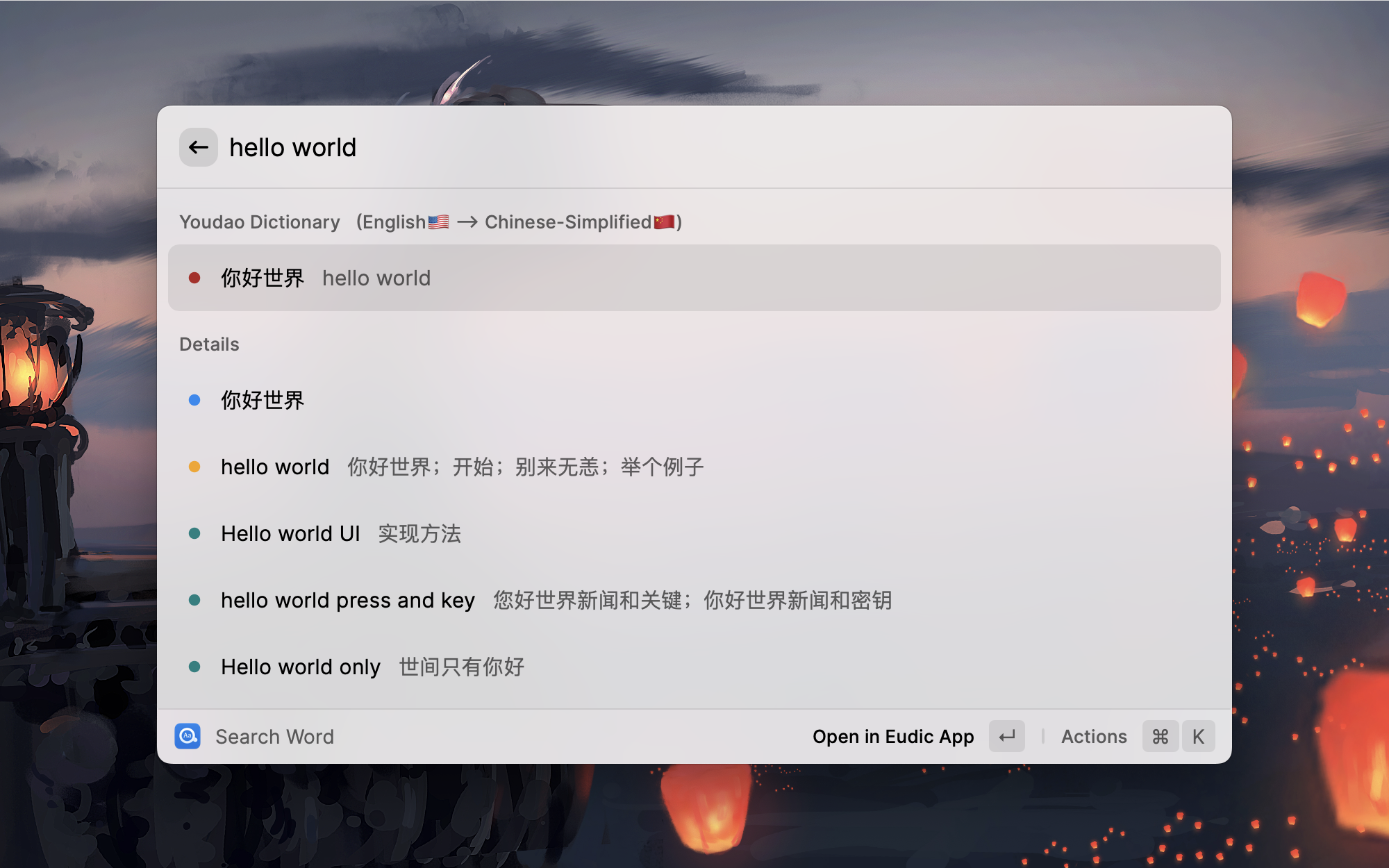
Easydict is a simple and easy-to-use dictionary app for looking up words and translating text. It works out of the box, automatically detects the input language, and supports Linguee and Youdao Dictionary for dictionary lookup.
For translation, it supports macOS System Translation, DeepL, Google Translate, Bing Translator, Baidu Translate, Tencent Translate, Volcano Engine Translation, Youdao Translate, and Caiyun Translate. You can also use LLMs from Raycast AI or custom OpenAI-compatible endpoints for translation and word lookup.
Installation
This is an extension of Raycast, so you need to install Raycast first.
Raycast is a blazingly fast, totally extendable launcher. Similar to Alfred but it's completely free!
Install from Raycast Store
Manually Install
git clone https://github.com/tisfeng/Raycast-Easydict.git && cd Raycast-Easydict

npm install && npm run dev
Features
- 🆕 Supports optional local query caching, off by default.
- 🆕 Support Raycast for Windows (most features are adapted).
- 🆕 Supports using LLMs from Raycast AI or custom OpenAI-compatible endpoints for translation and word lookup.
- Works out of the box for easily looking up words or translating text.
- Automatically detects input languages and queries your preferred target language.
- Provides rich query information, including basic translations, pronunciations, exam coverage, parts of speech, tenses, and web phrases.
- Automatically queries selected text (enabled by default).
- Supports screenshot OCR translation.
- Supports opening the Eudic Dictionary for quick lookups (if installed on your Mac).
- Supports automatic audio playback of word pronunciations (use
Cmd + Sto play manually). - Supports Youdao Text-to-Speech (TTS).
- Supports manually sorting query results.
- Supports Arguments.
- Supports Fallback Commands.
- Supports system proxies.
- Supports Linguee and Youdao Dictionary.
- Supports macOS System Translation. (Please see How to use 🍎 macOS system translation in Easydict?)
- Supports 48+ languages.
- 🆕 Supports saving completed results as Favorite Words for offline browsing and management.
- 🆕 Supports viewing stroke-order diagrams for Chinese characters from live and saved translation results.
If you like this extension, please give it a Star ⭐️, thanks!
Screenshots
Manage Providers
Favorite Words
Arguments
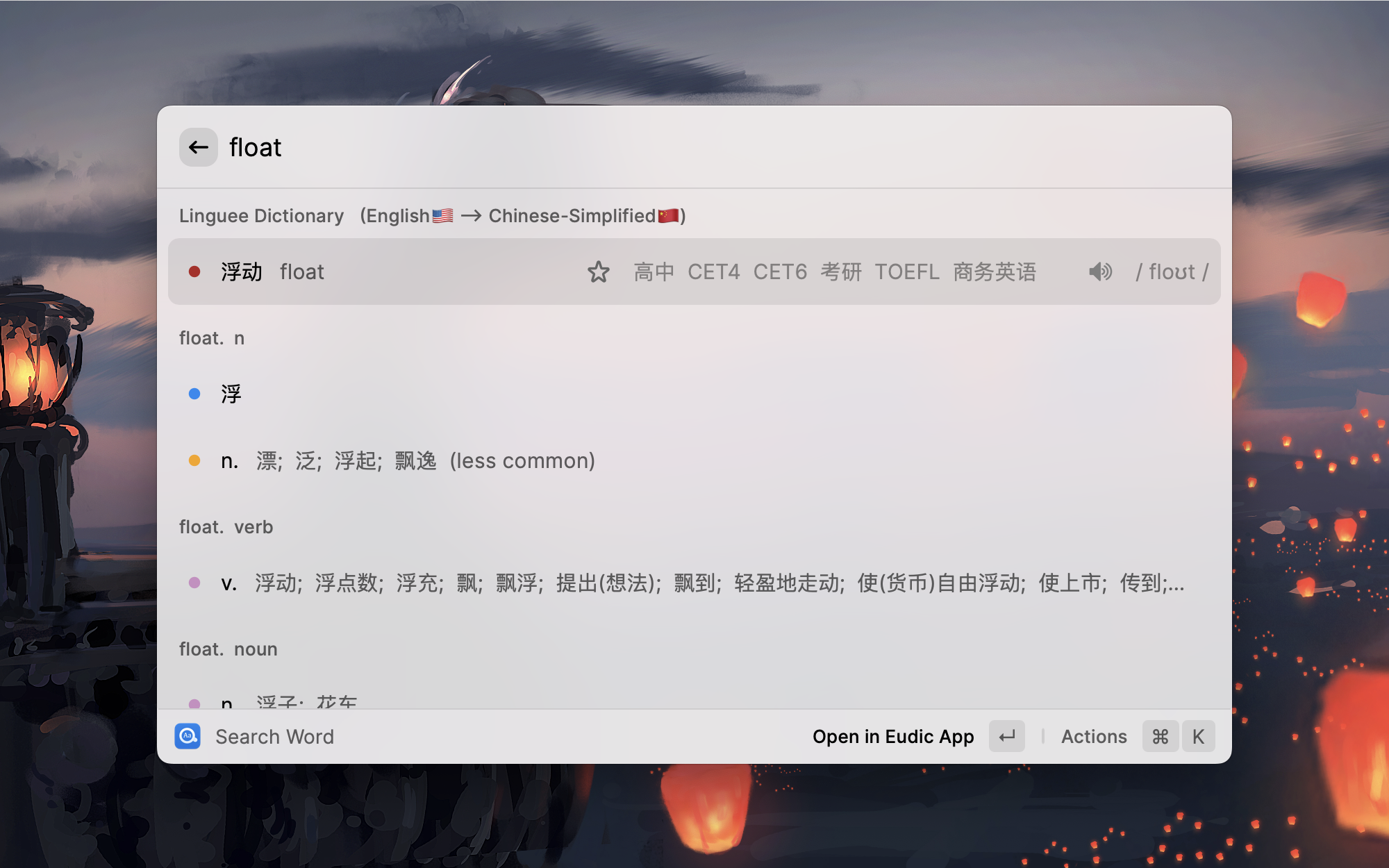
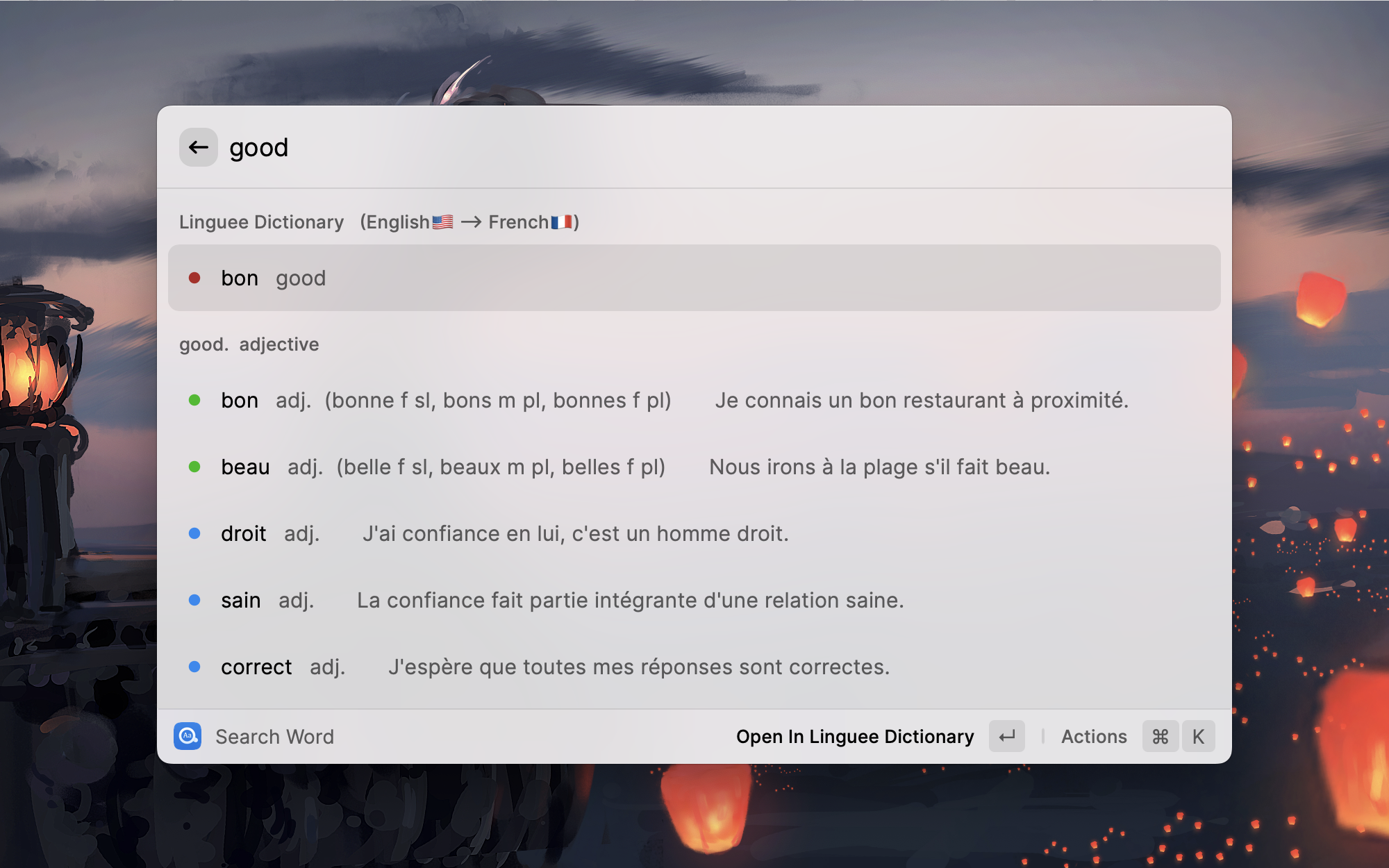
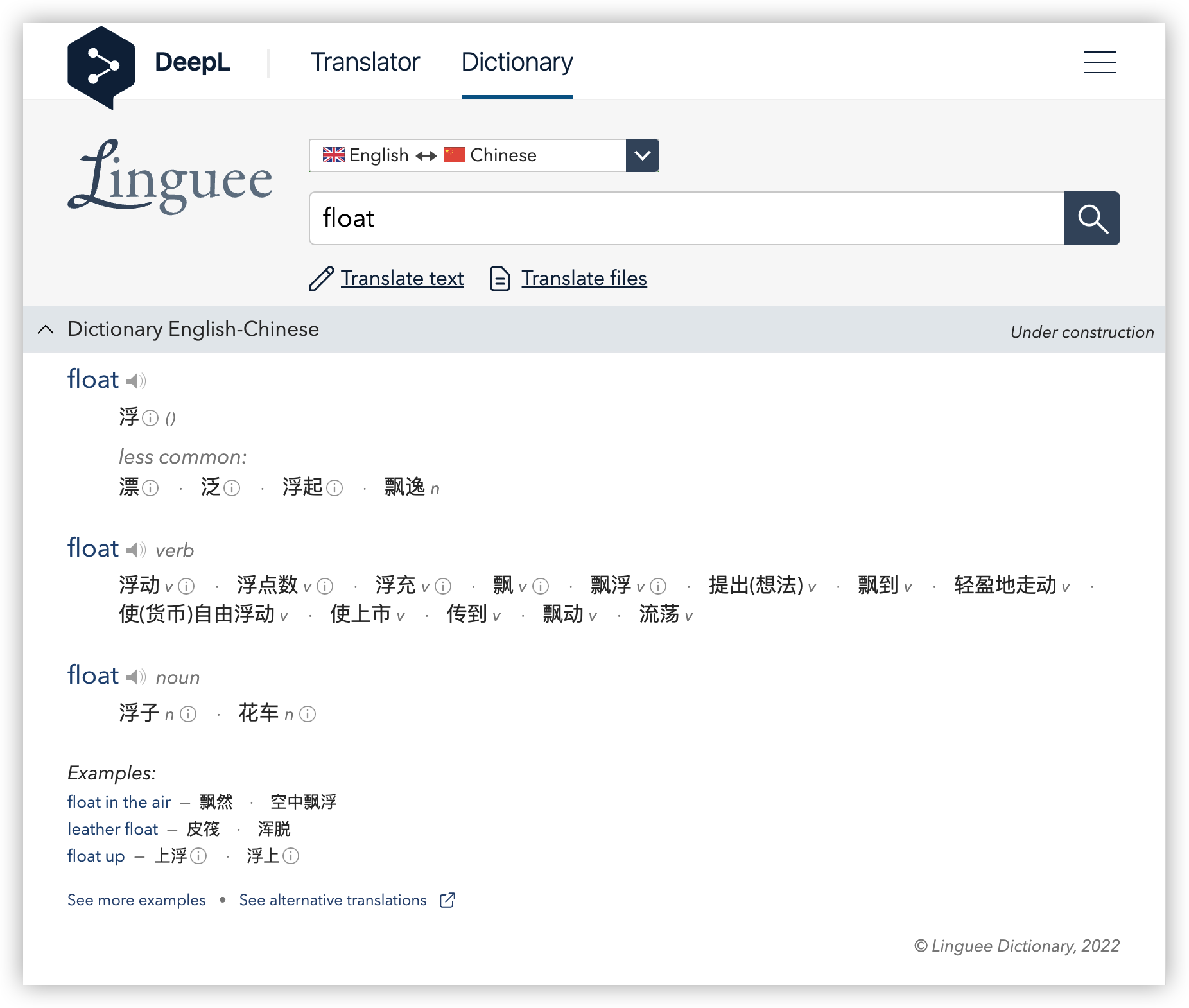
Dictionary Details
Youdao Modern Chinese Dict
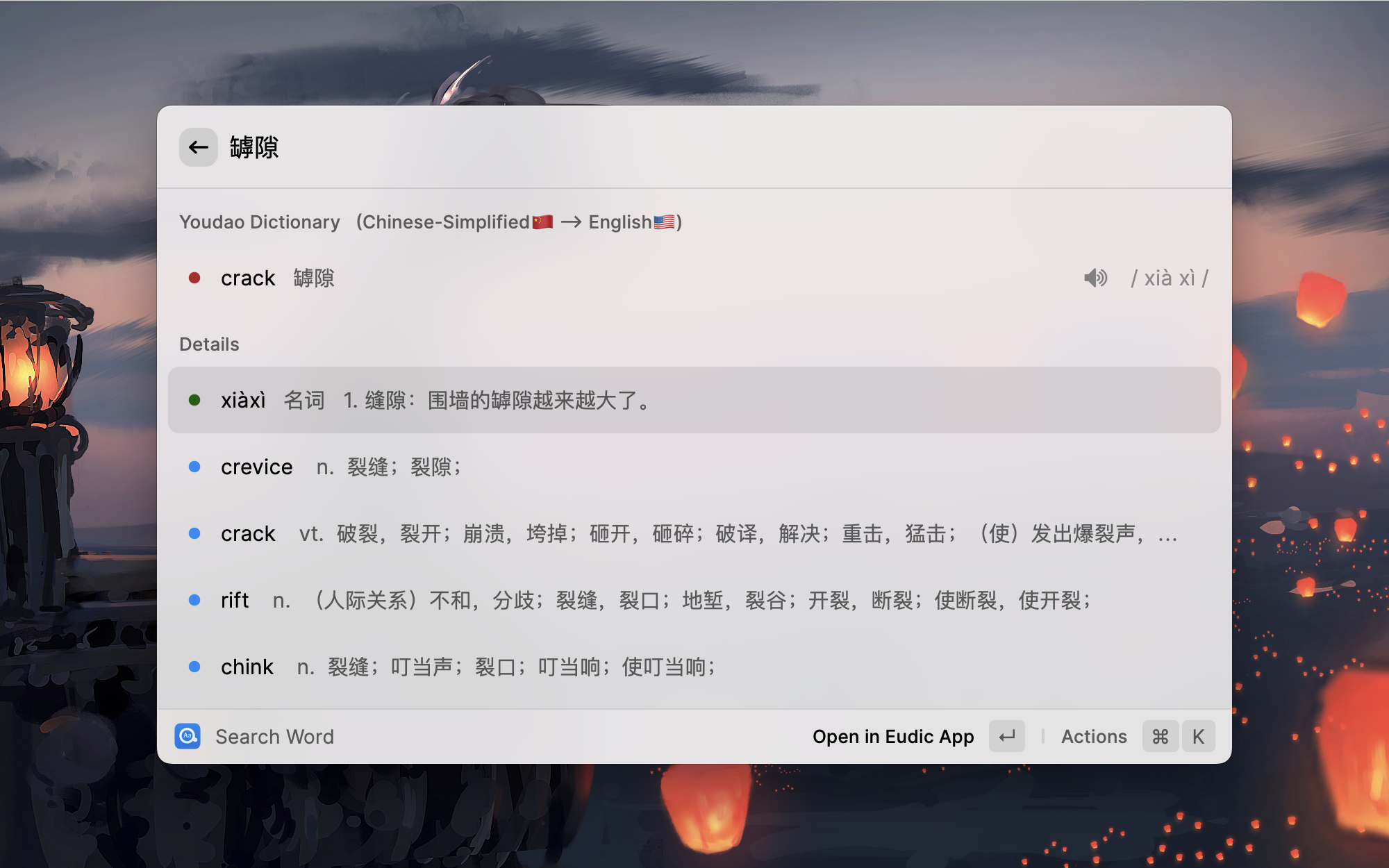
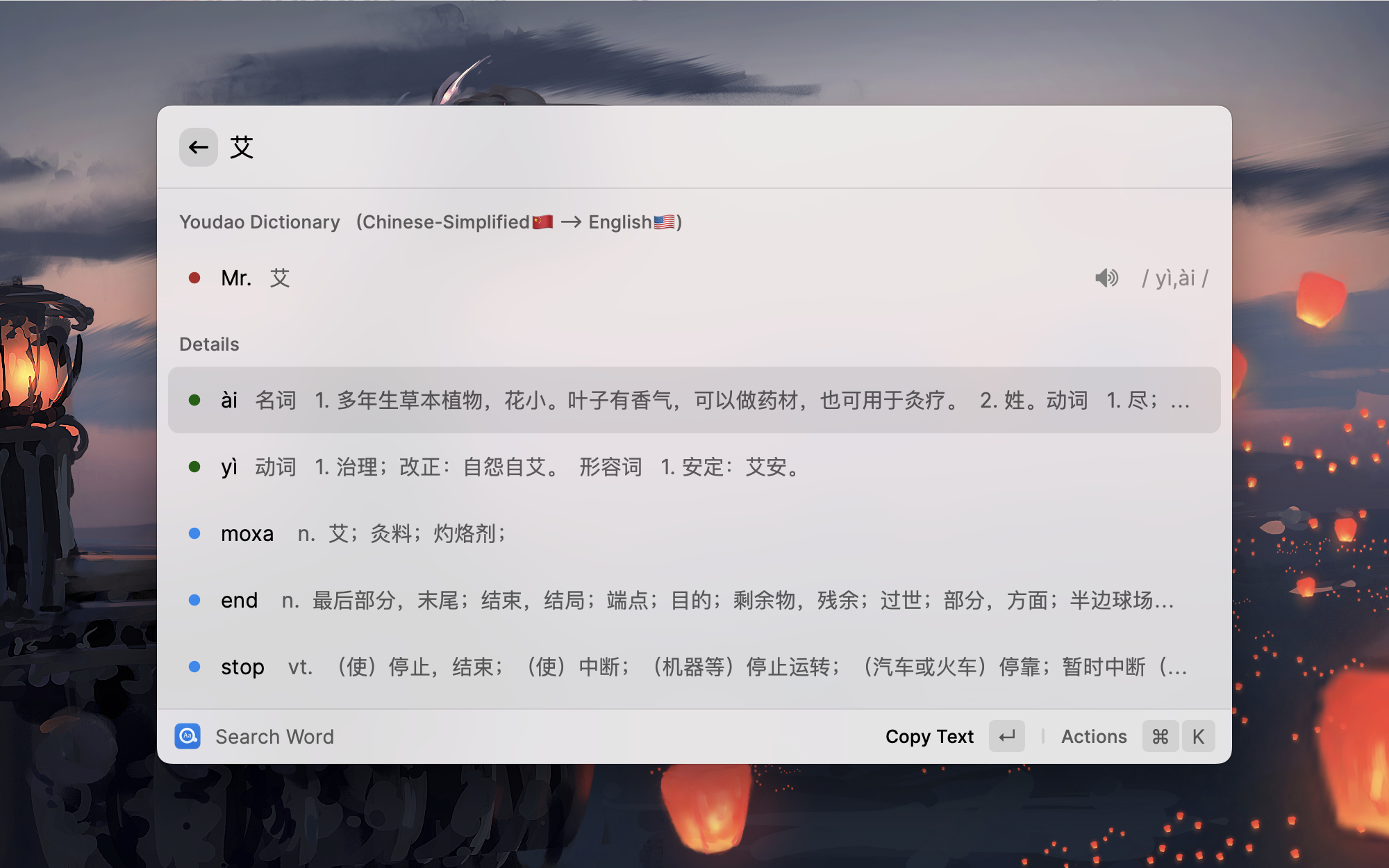
| English <--> Chinese | English <--> French |
|---|---|
 |  |
 | 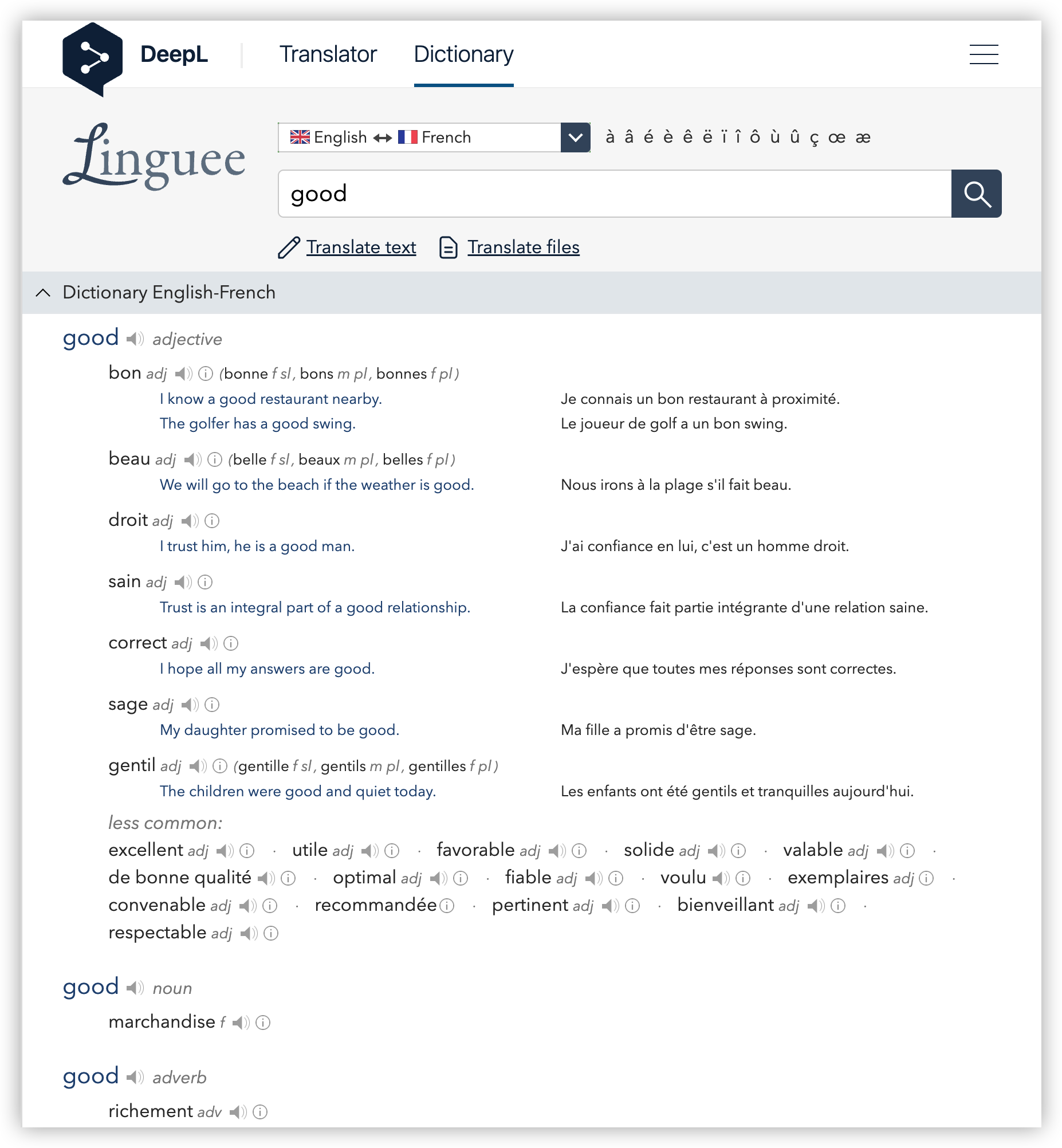 |
Show More Details(Shortcut Cmd + M)
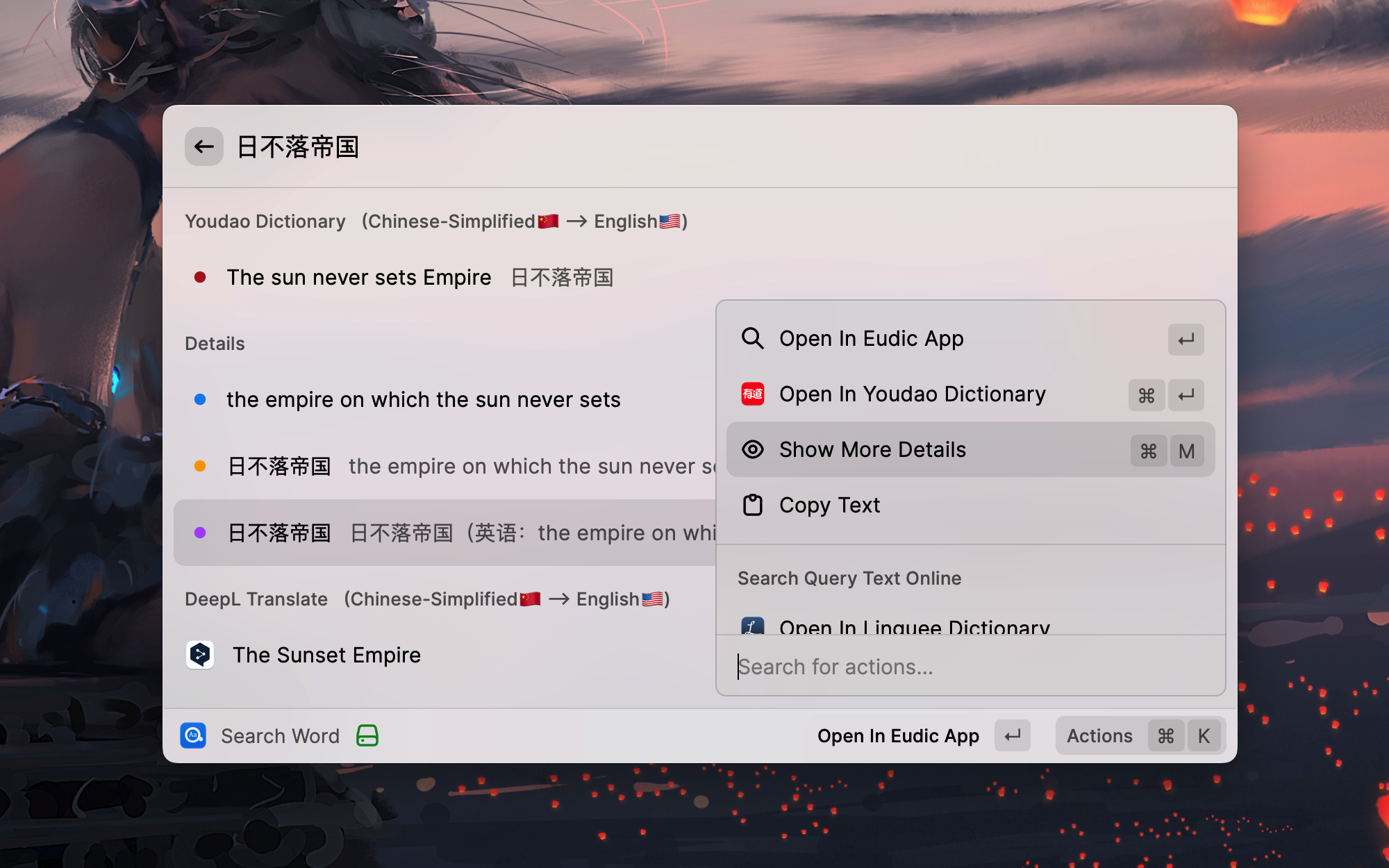
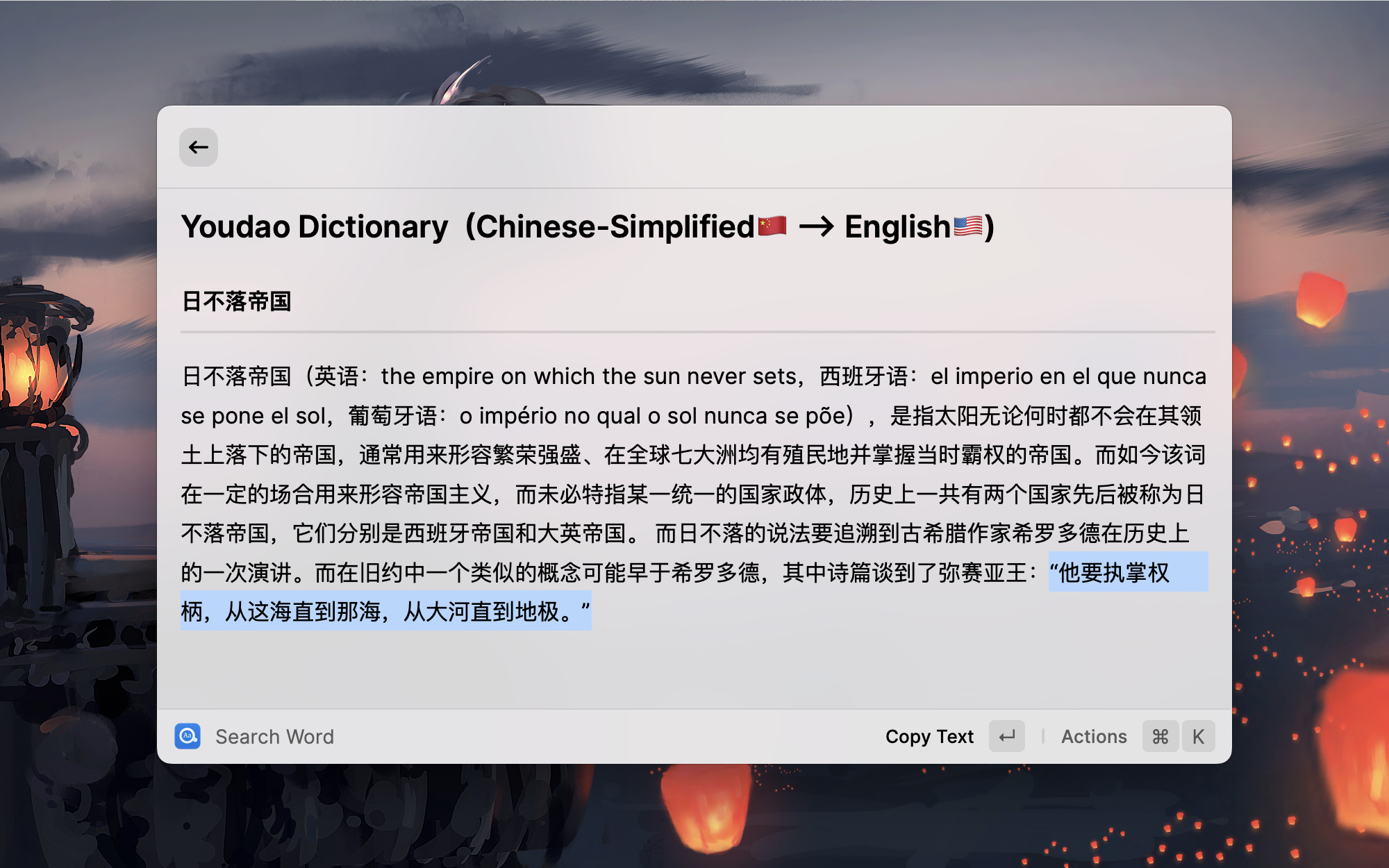
Translation Results
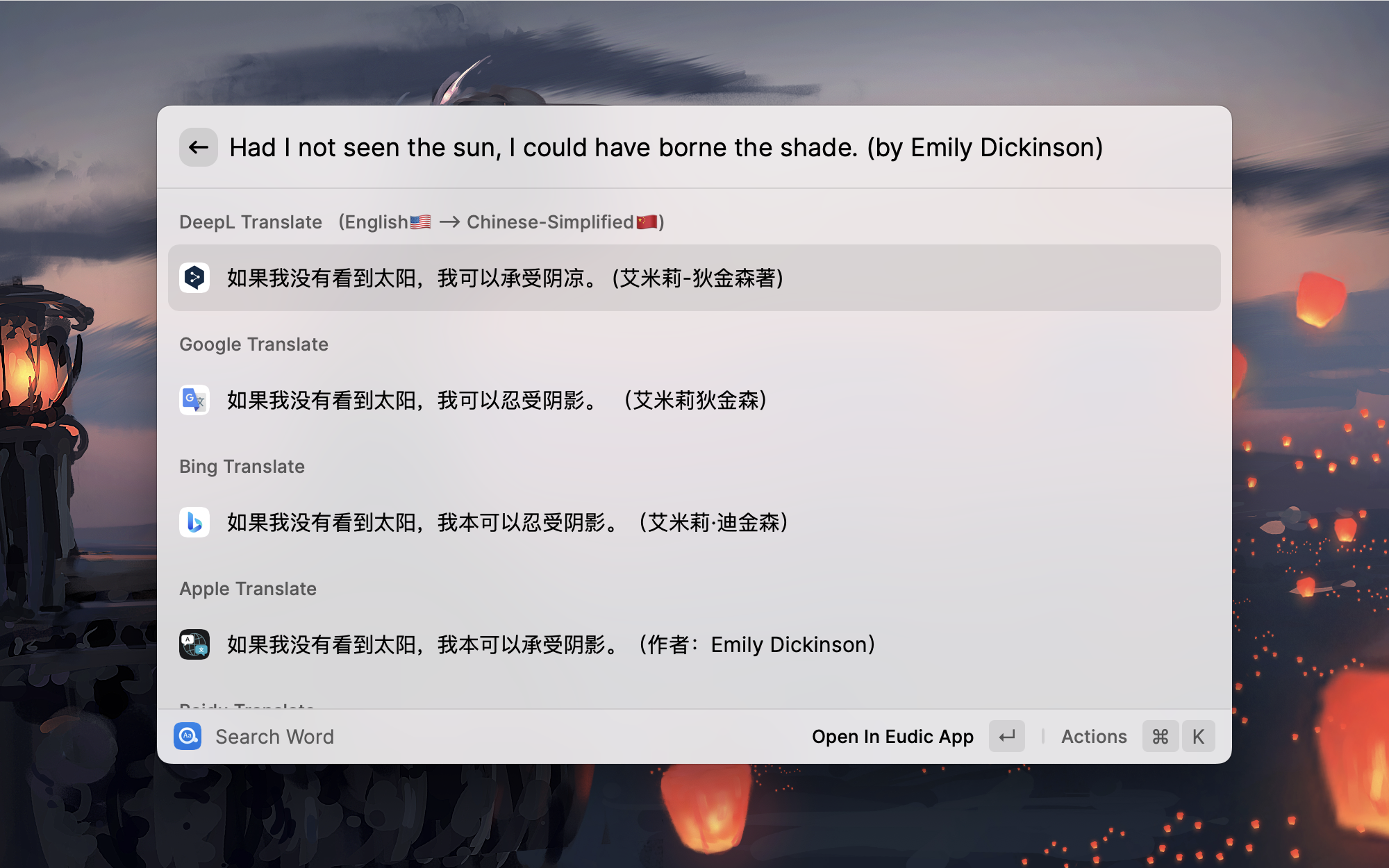
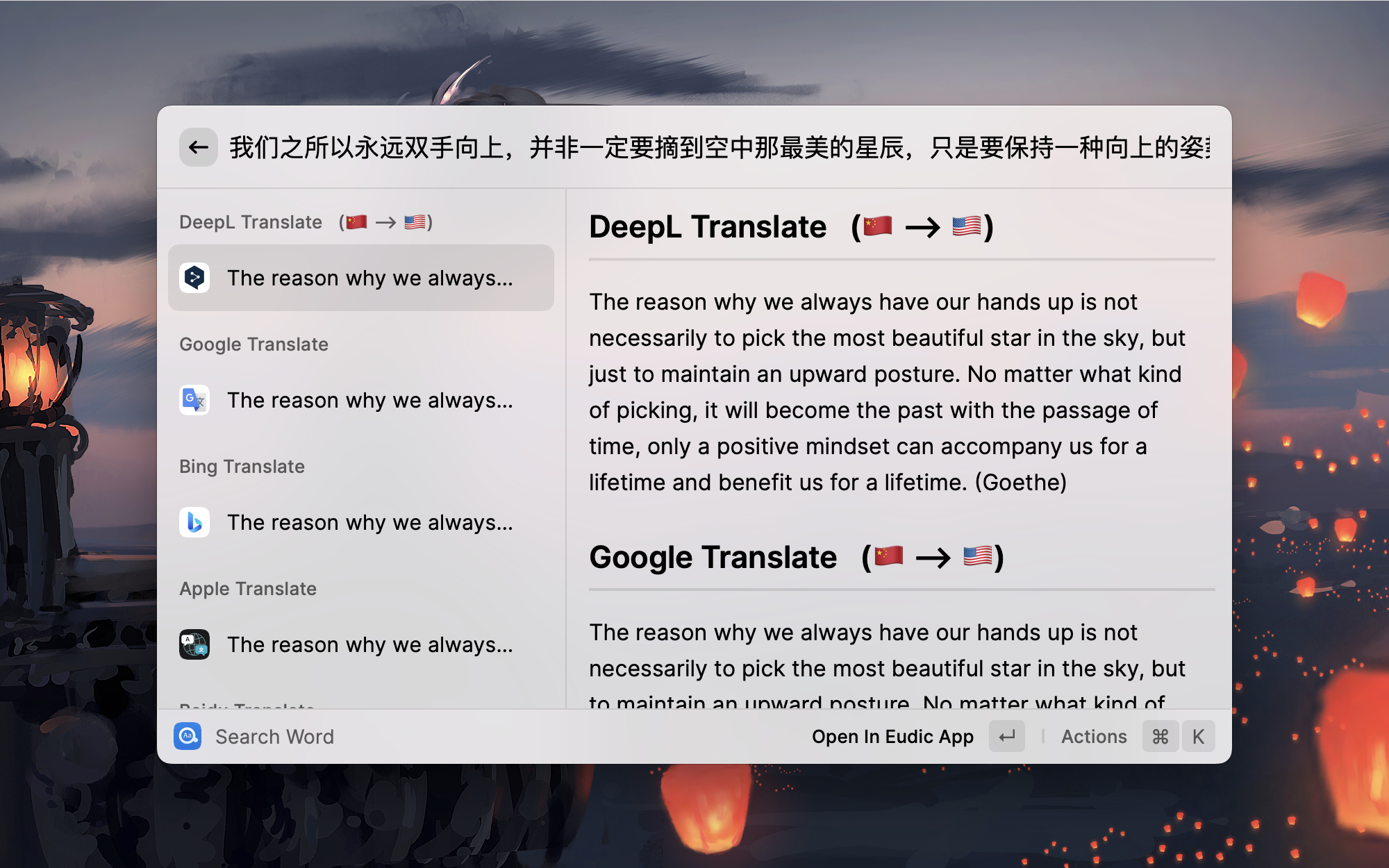
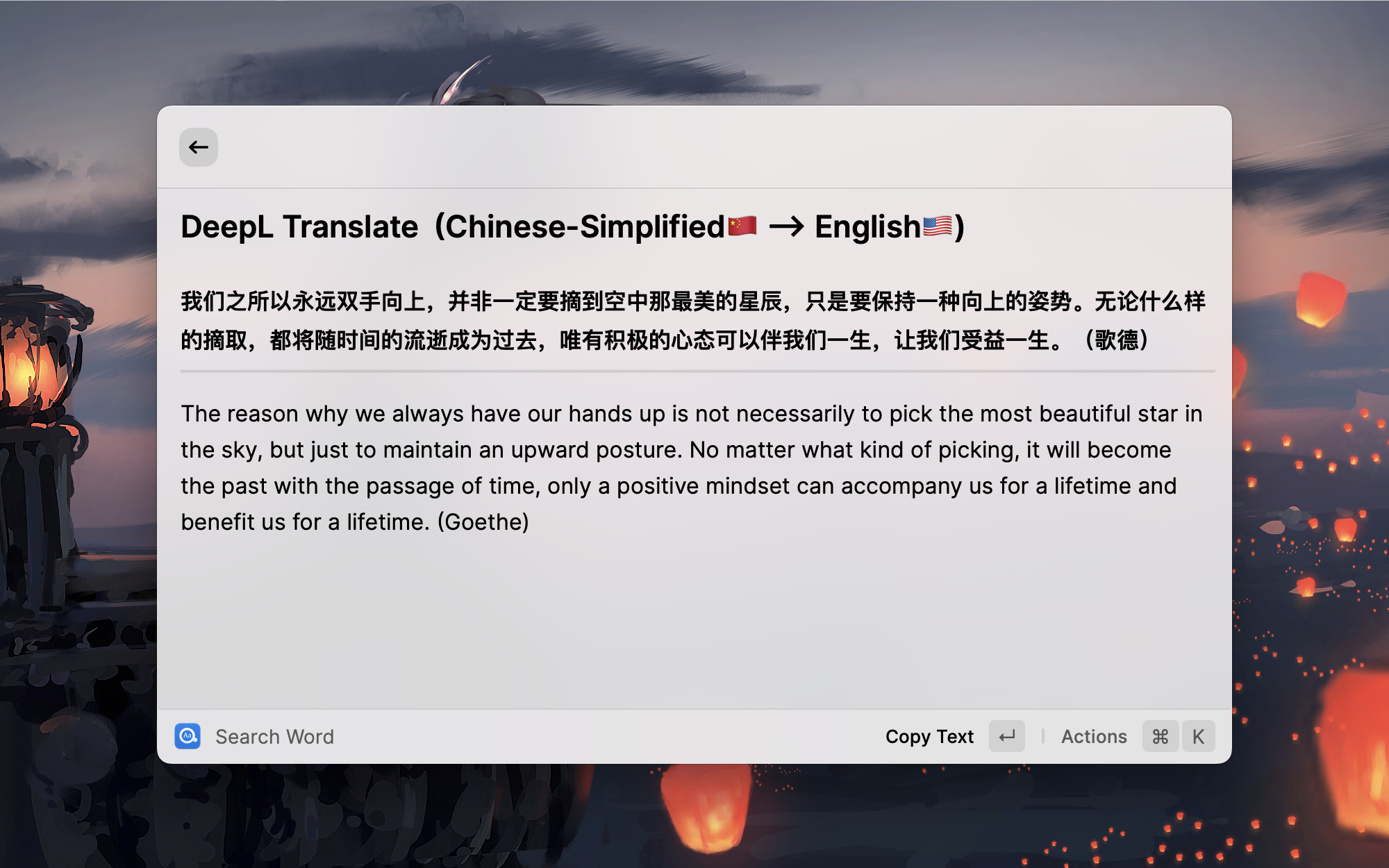
Configuration
Easydict works well out of the box. The following options help you customize its behavior.
Manage Providers
Use Manage Providers to reorder built-in and AI providers. The list labels each provider type and shows Enabled/Disabled status (AI providers can also be Invalid); reorder with Cmd+Shift+Up/Down on macOS or Ctrl+Shift+Up/Down on Windows. Edit, test, enable, disable, duplicate, or delete AI providers there; configure built-in providers in Extension Settings. AI providers can use Raycast AI or custom OpenAI-compatible endpoints. Presets include OpenAI, Gemini, DeepSeek, OpenRouter, SiliconFlow, Zhipu GLM, Kimi, MiniMax, Xiaomi MiMo, OpenCode Zen, and OpenCode Go.
Choose Plain Translation or AI-Generated Dictionary Entry. Models are discovered automatically when available; you can also enter a model name manually. New or connection-related provider changes offer Test & Save by default, with Save Without Testing still available. JSON output defaults are selected per preset. Some models may fail to return valid structured dictionary output and require a retry, and dictionary generation may take longer.
Legacy OpenAI and Gemini settings with an API key migrate automatically the next time you open Search Word or Manage Providers. Migration preserves connection settings, enablement, and ordering; existing imported providers keep their edits. Manage the resulting providers only in Manage Providers: old Extension Settings are retained as import sources and no longer run separate providers. Deleting a provider does not import it again, and providers previously retired remain removed. Add from Legacy OpenAI/Gemini Settings… opens a prefilled form to create another copy, initially disabled. On another device, migration waits until that device has the legacy API key; it does not transfer provider profiles between devices. If configuration cannot be read or migrated, other built-in services remain available and Manage Providers offers a retry.
Preferred Languages
The default preferred languages are simplified Chinese and English. You can change them according to your preferences.
Preference language has two main functions:
First, it improves the accuracy of automatic detection of input text language.
Preference language will be given priority in order during automatic detection. This is because some words may represent multiple languages at the same time, and the automatic detection program cannot work as expected. In most cases, the automatic detection of input text is very useful, except for very few special cases. For example, the English word heel will be automatically recognized into Dutch by Youdao translation, and then the translation results are not what we expect. At this time, if your Easydict preferred language contains English, it will be recognized into English first and translated correctly.
Second, it is used to confirm your target translation language.
For example, if you input a sentence arbitrarily, it will be translated into the first preferred language. If the automatically recognized language is the same as your first preferred language, it will be automatically translated into the second preferred language.
Automatic Query Selected Text
Automatic query selected text of the frontmost application, this option is turned on by default.
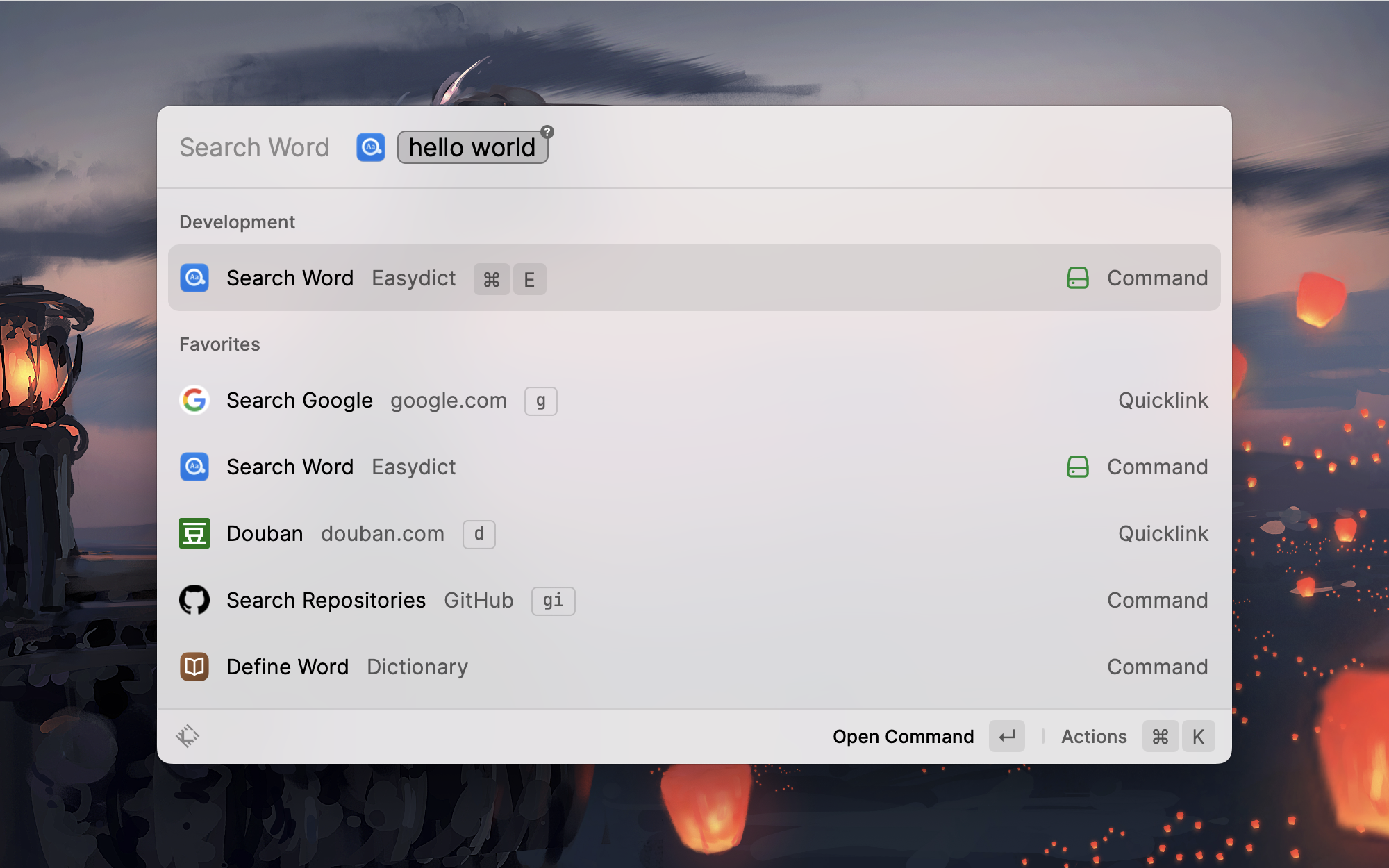
In order to better match the automatic selected text feature, it is a good idea to set a hotkey for Easydict, such as Cmd + E, so that after selected the text, you can directly query words through the hotkey, which is very smooth and elegant.
Automatic Play Query Word Pronunciation
Automatically play the word audio after querying the word, turned on by default.
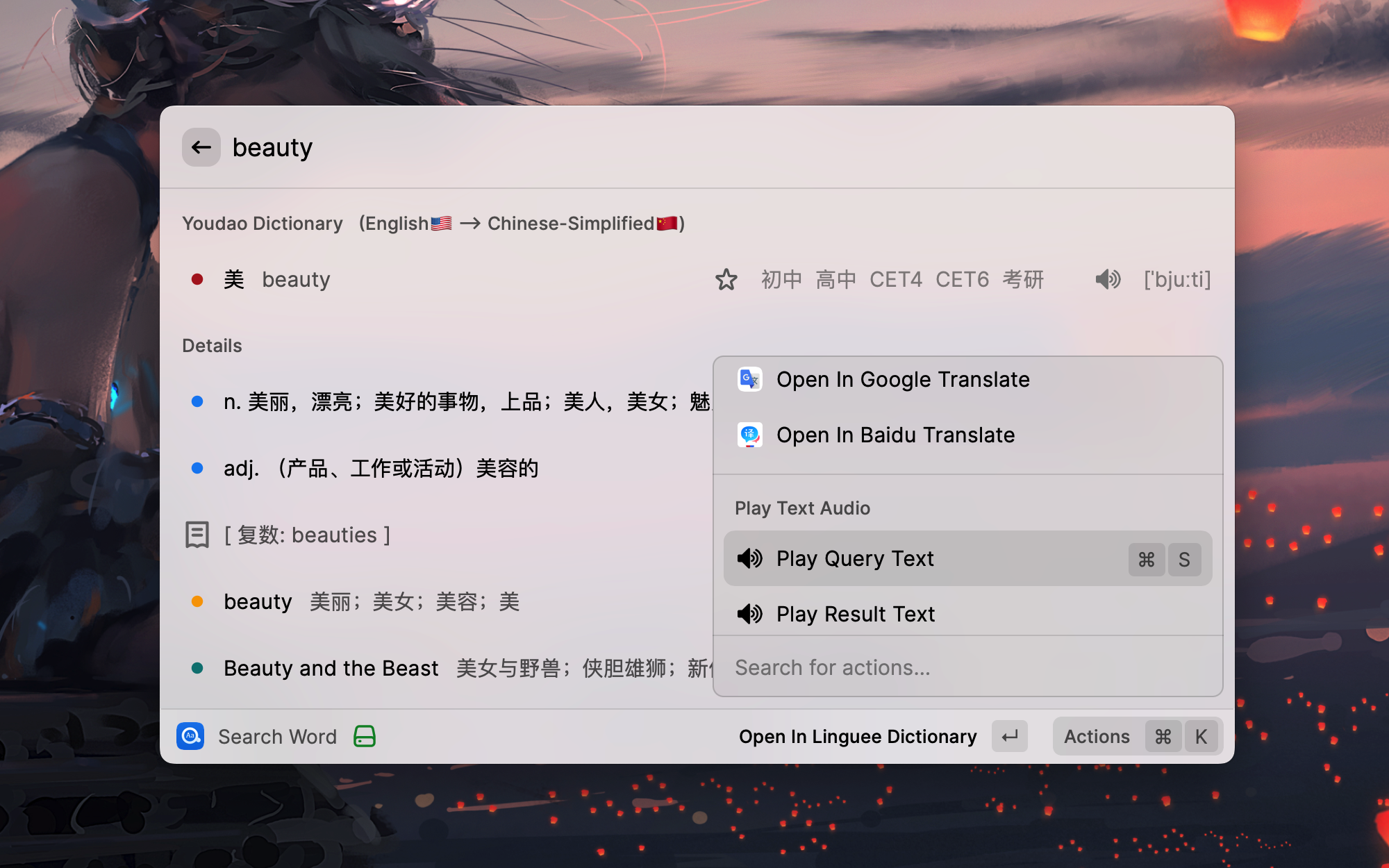
Note that when this option is started, the voice will be played only when the query is judged to be is_Word and in English, e.g. good, look for, etc. For other queries, the voice can be played with the shortcut Cmd + S.
The content of playing voice: English words are pronounced by the online Youdao dictionary first, and other words are pronounced by the TTS service of Youdao translation. For long text playback, use the say command.
Use Cmd + S to play the pronunciation of words manually.
Select Target Language
Specify the target language. This option is turned off by default.
By default, the extension will automatically select the preferred language as the target translation language. However, sometimes if you want to manually specify a language as the target language, you can turn on this option in the preferences and then you can temporarily select another target language in the action panel.
Query Cache
Open Preferences from a query result's action menu to configure caching. Query Cache controls completed dictionary and machine translation results; AI Query Cache controls completed AI translations and dictionary entries. Both default to Off. Choose Words Only to cache input recognized as a word or term, or All Text to also cache sentences and longer text.
Built-in dictionary results are retained for up to 7 days; machine translations and AI results for up to 24 hours. Confirmed language-detection results are also cached for up to 24 hours when either setting permits caching the input. There is no separate language-detection cache setting; it is disabled when both settings are Off.
Cached results show a clock indicator. Use these actions to manage them:
- Requery All Services: Query the enabled services again with fresh language detection, bypassing the cache.
- Regenerate AI Result: Generate a fresh result from the selected AI provider, leaving other providers' results in place. This also works when AI caching is Off.
- Clear Query Cache: Remove cached dictionary, translation, AI, and language-detection results.
Fresh results from requerying or regeneration replace the cached result when the corresponding cache mode allows caching that input.
🍎 Apple Translate
Easydict support MacOS system translate, for more information, please see How to use macOS Apple System Translation in Easydict?
System Proxy
Easydict supports system proxy. To use it, turn on Use System Proxy Settings in the Raycast extension settings. When enabled, all network requests will be sent through the system proxy. This is useful for services that require a proxy (e.g., Google Translate in China) or for counter IP blocking (some services such as Linguee have frequency restrictions on IPs). Enabling proxy may slow down response time, so please enable it only when needed.
Supported Languages
Currently we support 49 languages: Simplified Chinese, Traditional Chinese, English, Japanese, Korean, French, Spanish, Portuguese, Italian, German, Russian, Arabic, Swedish, Romanian, Thai, Slovak, Dutch, Hungarian, Greek, Danish, Finnish, Polish, Czech, Turkish, Lithuanian, Latvian, Ukrainian, Bulgarian, Indonesian, Malay, Slovenian, Estonian, Vietnamese, Persian, Hindi, Telugu, Tamil, Urdu, Filipino, Khmer, Lao, Bangla, Burmese, Norwegian, Georgian, Serbian, Croatian, Mongolian, Hebrew.
Language Detection
Easydict uses four remote language detection services: Bing, Baidu, Tencent, and Volcano. Franc provides the local fallback.
Bing and Baidu language detection are enabled by default. Tencent and Volcano can be enabled independently in preferences and require their corresponding credentials. In general, enabling more detection services can improve accuracy and response time.
Details of the languages supported by each language detection service are as follows:
| Languages | Bing | Baidu | Volcano | Tencent |
|---|---|---|---|---|
| Simplified Chinese | ✅ | ✅ | ✅ | ✅ |
| Traditional Chinese | ✅ | ✅ | ✅ | ❌ |
| English | ✅ | ✅ | ✅ | ✅ |
| Japanese | ✅ | ✅ | ✅ | ✅ |
| Korean | ✅ | ✅ | ✅ | ✅ |
| French | ✅ | ✅ | ✅ | ✅ |
| Spanish | ✅ | ✅ | ✅ | ✅ |
| Portuguese | ✅ | ✅ | ✅ | ✅ |
| Italian | ✅ | ✅ | ✅ | ✅ |
| German | ✅ | ✅ | ✅ | ✅ |
| Russian | ✅ | ✅ | ✅ | ✅ |
| Arabic | ✅ | ✅ | ✅ | ❌ |
| Swedish | ✅ | ✅ | ✅ | ❌ |
| Romanian | ✅ | ✅ | ✅ | ❌ |
| Thai | ✅ | ✅ | ✅ | ✅ |
| Slovak | ✅ | ✅ | ✅ | ❌ |
| Dutch | ✅ | ✅ | ✅ | ❌ |
| Hungarian | ✅ | ✅ | ✅ | ❌ |
| Greek | ✅ | ✅ | ✅ | ❌ |
| Danish | ✅ | ✅ | ✅ | ❌ |
| Finnish | ✅ | ✅ | ✅ | ❌ |
| Polish | ✅ | ✅ | ✅ | ❌ |
| Czech | ✅ | ✅ | ✅ | ❌ |
| Turkish | ✅ | ✅ | ✅ | ✅ |
| Lithuanian | ✅ | ✅ | ✅ | ❌ |
| Latvian | ✅ | ✅ | ✅ | ❌ |
| Ukrainian | ✅ | ✅ | ✅ | ❌ |
| Bulgarian | ✅ | ✅ | ✅ | ❌ |
| Indonesian | ✅ | ✅ | ✅ | ✅ |
| Malay | ✅ | ✅ | ✅ | ✅ |
| Slovenian | ✅ | ✅ | ✅ | ❌ |
| Estonian | ✅ | ✅ | ✅ | ❌ |
| Vietnamese | ✅ | ✅ | ✅ | ✅ |
| Persian | ✅ | ✅ | ✅ | ❌ |
| Hindi | ✅ | ✅ | ✅ | ❌ |
| Telugu | ✅ | ✅ | ✅ | ❌ |
| Tamil | ✅ | ✅ | ✅ | ❌ |
| Urdu | ✅ | ✅ | ✅ | ❌ |
| Filipino | ✅ | ✅ | ✅ | ❌ |
| Khmer | ✅ | ✅ | ✅ | ❌ |
| Lao | ✅ | ✅ | ✅ | ❌ |
| Bangla | ✅ | ✅ | ✅ | ❌ |
| Burmese | ✅ | ✅ | ✅ | ❌ |
| Norwegian | ✅ | ✅ | ✅ | ❌ |
| Georgian | ✅ | ✅ | ✅ | ❌ |
| Serbian | ✅ | ✅ | ✅ | ❌ |
| Croatian | ✅ | ✅ | ✅ | ❌ |
| Mongolian | ✅ | ✅ | ✅ | ❌ |
| Hebrew | ✅ | ✅ | ✅ | ❌ |
Dictionary
Youdao Dictionary
Support 5 languages, (Chinese), English, French, Japanese, Korean.
Linguee Dictionary
Support 19 languages, (Chinese, Japanese, Russian), English, French, Spanish, Portuguese, Italian, German, Swedish, Romanian, Slovak, Dutch, Hungarian, Greek, Danish, Finnish, Polish, Czech.
Translation
Currently, we support OpenAI, Gemini, DeepL, Google, Bing, 🍎 Apple, Baidu, Tencent, Volcano, Youdao, and Caiyun translation, total 11 translation services.
Google and DeepL translations support system proxy. To enable proxy, turn on Use System Proxy Settings in the Raycast extension settings. (DeepL works without a proxy, but sometimes requests time out)
Note ⚠️: Google Translate China site (translate.google.cn) is currently unavailable. You can only use the international version (translate.google.com), so you may need to enable a proxy to use Google Translate.
Supported translation languages:
| Languages | Youdao | DeepL | Bing | 🍎 Apple | Baidu | Volcano | Tencent | Caiyun | |
|---|---|---|---|---|---|---|---|---|---|
| Simplified Chinese | ✅ | ✅ | ✅ | ✅ | ✅ | ✅ | ✅ | ✅ | ✅ |
| Traditional Chinese | ✅ | ✅ | ✅ | ✅ | ✅ | ✅ | ✅ | ✅ | ❌ |
| English | ✅ | ✅ | ✅ | ✅ | ✅ | ✅ | ✅ | ✅ | ✅ |
| Japanese | ✅ | ✅ | ✅ | ✅ | ✅ | ✅ | ✅ | ✅ | ✅ |
| Korean | ✅ | ✅ | ✅ | ✅ | ✅ | ✅ | ✅ | ✅ | ❌ |
| French | ✅ | ✅ | ✅ | ✅ | ✅ | ✅ | ✅ | ✅ | ❌ |
| Spanish | ✅ | ✅ | ✅ | ✅ | ✅ | ✅ | ✅ | ✅ | ❌ |
| Portuguese | ✅ | ✅ | ✅ | ✅ | ✅ | ✅ | ✅ | ✅ | ❌ |
| Italian | ✅ | ✅ | ✅ | ✅ | ✅ | ✅ | ✅ | ✅ | ❌ |
| German | ✅ | ✅ | ✅ | ✅ | ✅ | ✅ | ✅ | ✅ | ❌ |
| Russian | ✅ | ✅ | ✅ | ✅ | ✅ | ✅ | ✅ | ✅ | ❌ |
| Arabic | ✅ | ✅ | ✅ | ✅ | ✅ | ✅ | ✅ | ✅ | ❌ |
| Swedish | ✅ | ✅ | ✅ | ✅ | ❌ | ✅ | ✅ | ❌ | ❌ |
| Romanian | ✅ | ✅ | ✅ | ✅ | ❌ | ✅ | ✅ | ❌ | ❌ |
| Thai | ✅ | ❌ | ✅ | ✅ | ✅ | ✅ | ✅ | ✅ | ❌ |
| Slovak | ✅ | ✅ | ✅ | ✅ | ❌ | ✅ | ✅ | ❌ | ❌ |
| Dutch | ✅ | ✅ | ✅ | ✅ | ✅ | ✅ | ✅ | ❌ | ❌ |
| Hungarian | ✅ | ✅ | ✅ | ✅ | ❌ | ✅ | ✅ | ❌ | ❌ |
| Greek | ✅ | ✅ | ✅ | ✅ | ❌ | ✅ | ✅ | ❌ | ❌ |
| Danish | ✅ | ✅ | ✅ | ✅ | ❌ | ✅ | ✅ | ❌ | ❌ |
| Finnish | ✅ | ✅ | ✅ | ✅ | ❌ | ✅ | ✅ | ❌ | ❌ |
| Polish | ✅ | ✅ | ✅ | ✅ | ✅ | ✅ | ✅ | ❌ | ❌ |
| Czech | ✅ | ✅ | ✅ | ✅ | ❌ | ✅ | ✅ | ❌ | ❌ |
| Turkish | ✅ | ✅ | ✅ | ✅ | ✅ | ✅ | ✅ | ✅ | ❌ |
| Lithuanian | ✅ | ✅ | ✅ | ✅ | ❌ | ✅ | ✅ | ❌ | ❌ |
| Latvian | ✅ | ✅ | ✅ | ✅ | ❌ | ✅ | ✅ | ❌ | ❌ |
| Ukrainian | ✅ | ✅ | ✅ | ✅ | ✅ | ✅ | ✅ | ❌ | ❌ |
| Bulgarian | ✅ | ✅ | ✅ | ✅ | ❌ | ✅ | ✅ | ❌ | ❌ |
| Indonesian | ✅ | ✅ | ✅ | ✅ | ✅ | ✅ | ✅ | ✅ | ❌ |
| Malay | ✅ | ❌ | ✅ | ✅ | ❌ | ✅ | ✅ | ✅ | ❌ |
| Slovenian | ✅ | ✅ | ✅ | ✅ | ❌ | ✅ | ✅ | ❌ | ❌ |
| Estonian | ✅ | ✅ | ✅ | ✅ | ❌ | ✅ | ✅ | ❌ | ❌ |
| Vietnamese | ✅ | ❌ | ✅ | ✅ | ✅ | ✅ | ✅ | ✅ | ❌ |
| Persian | ✅ | ❌ | ✅ | ✅ | ❌ | ✅ | ✅ | ❌ | ❌ |
| Hindi | ✅ | ❌ | ✅ | ✅ | ❌ | ✅ | ✅ | ✅ | ❌ |
| Telugu | ✅ | ❌ | ✅ | ✅ | ❌ | ✅ | ✅ | ❌ | ❌ |
| Tamil | ✅ | ❌ | ✅ | ✅ | ❌ | ✅ | ✅ | ❌ | ❌ |
| Urdu | ✅ | ❌ | ✅ | ✅ | ❌ | ✅ | ✅ | ❌ | ❌ |
| Filipino | ✅ | ❌ | ✅ | ✅ | ❌ | ✅ | ✅ | ❌ | ❌ |
| Khmer | ✅ | ❌ | ✅ | ✅ | ❌ | ✅ | ✅ | ❌ | ❌ |
| Lao | ✅ | ❌ | ✅ | ✅ | ❌ | ✅ | ✅ | ❌ | ❌ |
| Bangla | ✅ | ❌ | ✅ | ✅ | ❌ | ✅ | ✅ | ❌ | ❌ |
| Burmese | ✅ | ❌ | ✅ | ✅ | ❌ | ✅ | ✅ | ❌ | ❌ |
| Norwegian | ✅ | ✅ | ✅ | ✅ | ❌ | ✅ | ✅ | ❌ | ❌ |
| Georgian | ✅ | ❌ | ✅ | ✅ | ❌ | ✅ | ✅ | ❌ | ❌ |
| Serbian | ✅ | ❌ | ✅ | ✅ | ❌ | ✅ | ✅ | ❌ | ❌ |
| Croatian | ✅ | ❌ | ✅ | ✅ | ❌ | ✅ | ✅ | ❌ | ❌ |
| Mongolian | ✅ | ❌ | ✅ | ✅ | ❌ | ✅ | ✅ | ❌ | ❌ |
| Hebrew | ✅ | ❌ | ✅ | ✅ | ❌ | ✅ | ✅ | ❌ | ❌ |
Translation Services Setup
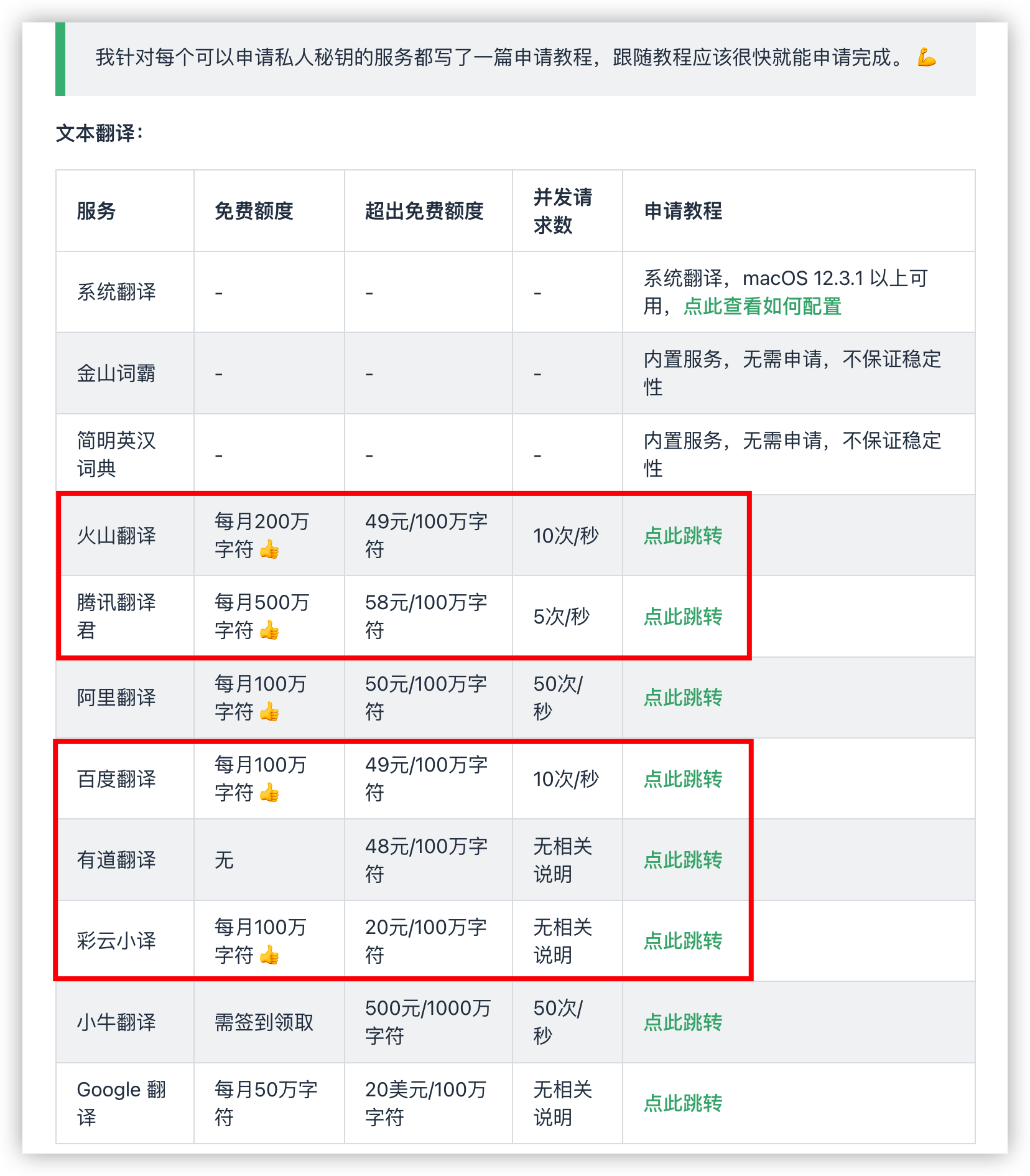
For ease of use, we provide built-in API credentials (AppID and AppKey) for translation services. However, these shared services have rate limits. If too many users access them simultaneously, responses may slow down or fail. Therefore, for the best experience, we highly recommend applying for your own dedicated API credentials and updating them in the Preferences page.
Don't worry, these services offer generous free tiers that are more than enough for personal use.
The following tutorial (from Bob) will guide you through the application process step by step.
- Youdao Translate: Select
text translationandspeech synthesis. (You will receive ¥50 experience fund) - Baidu Translate
- Tencent Translate
- Volcano Translate
- Caiyun Translate
- DeepL
Integrations
PopClip
You need to install PopClip first, then add a shortcut key for Easydict, such as Cmd + E, then you can open Easydict quickly with PopClip!
Usage: Select the following code block, PopClip will show "Install Easydict", just click it.
  # popclip
  name: Easydict
  icon: search E
  key combo: command E
Ref: https://github.com/pilotmoon/PopClip-Extensions#extension-snippets-examples
Acknowledgements
- This project was inspired by raycast-Parrot and Bob, and its initial version was based on raycast-Parrot.
Easydictimproves upon the original project by refining the UI, adding practical new features, removing overly complex operations, and heavily optimizing performance. - The OCR Translate feature is based on ScreenOCR. Special thanks to aidevjoe for the PR: feat: add OCR recognition.
